
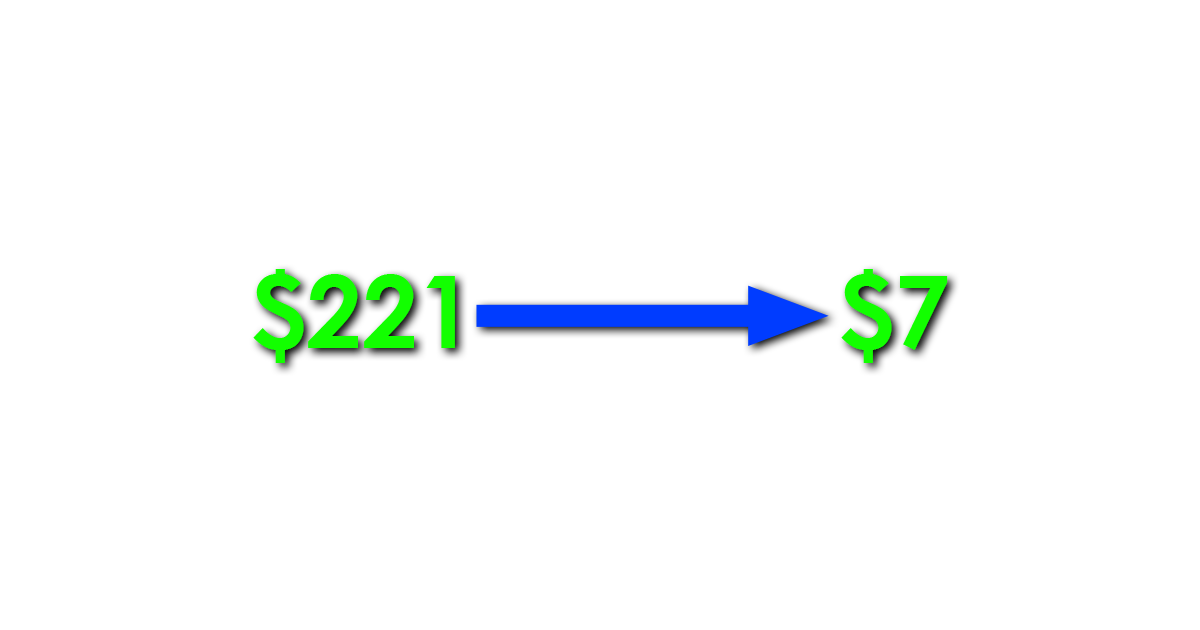
From $221/Month to $7/Month: Why I Deleted My Kubernetes Cluster
—
I deleted my Kubernetes cluster two weeks after launch. My AWS bill dropped from a projected $221/month to $7/month. The product kept working exactly the same way.
This is the story of how I over-engineered the infrastructure for my AI compliance tool, realized it during launch week, and fixed it in an afternoon.
What I Built and Why I Chose EKS
Aiella is a free EU AI Act risk assessment tool. Users fill out a 10-question form describing their AI system. The form submission goes to an SQS queue. A worker pod picks it up, sends the data to Claude on AWS Bedrock for classification, generates a PDF report with WeasyPrint, and emails it via Resend. The whole thing runs async so the user sees a confirmation page instantly while the heavy processing happens in the background.
When I was designing the architecture, I made a decision that felt smart at the time: I chose Amazon EKS for the compute layer.
My reasoning was sound on paper. I wanted autoscaling via KEDA so the worker pods could scale from 1 to 5 based on SQS queue depth. I wanted rolling deployments so I could push code without downtime. I wanted the operational maturity of Kubernetes for a production system. I had experience with Kubernetes from previous projects and I knew how to configure it.
What I did not do was ask the most important question: what does my actual workload look like?
The Bill That Changed My Mind
Two weeks after launch I checked my AWS bill. The projected monthly cost was $221.
I broke it down:
EKS control plane: $73/month. This is a flat fee. It runs 24/7 whether you process zero requests or a million. There is no way to reduce it. If you have an EKS cluster, you pay $73/month for the privilege of having a Kubernetes API server.
EC2 spot instances for the node group: roughly $15/month. Two t3.medium nodes running the API pod, the scanner worker pod, the KEDA scaler, and the AWS Load Balancer Controller.
Application Load Balancer: roughly $20/month. Required for ingress. Another fixed cost that runs regardless of traffic.
Data transfer, CloudWatch, ECR storage, and miscellaneous charges filled in the rest.
For a pre-revenue product processing about 50 real requests per week, this was absurd.
What My Workload Actually Needed
I stepped back and looked at what my application actually required:
Two containers: one running a FastAPI web server, one running a Python SQS poller. Both using the same Docker image. The API container serves a simple HTML form and handles POST submissions. The worker container polls SQS and processes jobs one at a time.
Peak traffic: maybe 20 form submissions per hour on a good day. Average traffic: 5-10 per day.
That is not a Kubernetes workload. That is a workload that runs comfortably on the smallest compute instance AWS offers.
The KEDA autoscaling I was so proud of configuring? It scaled from 1 pod to 2 pods exactly once during testing. In production it never triggered. My queue depth never exceeded 1 because jobs process in about 20 seconds and submissions arrive minutes apart.
The rolling deployments? Useful in theory. In practice, restarting a single container takes about 30 seconds. My users would not notice.
The Migration
I migrated to AWS Lightsail Container Service in an afternoon. The process was straightforward.
I created a Lightsail Container Service on the nano plan ($7/month). I pulled my existing Docker image from ECR, tagged it, and pushed it to Lightsail using the lightsailctl plugin. I configured two containers using the same image with different launch commands: one for the API, one for the worker. I set the environment variables, pointed the public endpoint to the API container on port 8000, and set the health check to /health.
Then I created a TLS certificate for assessment.aiella.com through Lightsail’s custom domain feature, validated it via DNS, attached it, and updated my CNAME record.
The whole migration took about 4 hours, including troubleshooting a few configuration issues. The longest part was waiting for DNS propagation and certificate validation.
What I Lost
I want to be honest about the tradeoffs.
I lost KEDA autoscaling. If I suddenly get 10,000 submissions in an hour, the nano instance will not handle it. I would need to manually upgrade to a larger Lightsail plan or migrate back to something with autoscaling. For my current traffic this is not a concern. If it becomes one, that is a good problem to have.
I lost the Kubernetes ecosystem. Helm charts, kubectl, pod-level logging, service meshes, all of that is gone. For a two-container application this is not a loss. For a larger system it would be.
I lost the ALB with its advanced routing capabilities. Lightsail’s built-in load balancer is simpler. It handles TLS termination and health checks but does not offer the same level of configurability.
I lost the resume line. “Runs on EKS with KEDA autoscaling” sounds more impressive than “runs on Lightsail nano.” I have made my peace with this.
What I Gained
$214 per month. That is the primary gain. For a bootstrapped solo founder, $214/month is meaningful. Over a year that is $2,568 saved. On a product with zero revenue, every dollar of burn matters.
Simplicity. My deployment went from a multi-step kubectl process involving ingress configurations, IRSA service accounts, KEDA scalers, and ALB controller annotations to a single Lightsail deployment JSON. When something breaks, there are fewer places to look.
Sleep. I no longer worry about node group scaling, pod evictions, spot instance interruptions, or OIDC provider configurations. The Lightsail container service is managed infrastructure. It runs and I do not think about it.
When Kubernetes Actually Makes Sense
I do not want to be another “Kubernetes is always overkill” article. Kubernetes is a powerful tool that solves real problems. It makes sense when you have many services that need to communicate, when you have genuine scaling requirements that change dynamically, when you need fine-grained control over resource allocation, and when you have a team that can operate it.
It does not make sense for a two-container application processing 50 requests per week, built and operated by one person.
The mistake I made was choosing infrastructure for the application I hoped to have rather than the application I actually had. If Aiella grows to the point where I need autoscaling, advanced routing, and multi-service orchestration, I can migrate back to Kubernetes in a day. The Docker images are the same. The application code does not care what runs the container.
The Lesson
Start with the smallest infrastructure that works. You can always scale up. Scaling down is harder because by then you have built tooling, CI/CD pipelines, monitoring, and operational procedures around the larger system. It feels like a step backward even when the numbers clearly say it is the right move.
My application runs on $7/month of infrastructure. It serves real users. It processes real AI compliance assessments. It sends real PDF reports. And it does all of that on the cheapest container service AWS offers.
The Kubernetes cluster I deleted was impressive. The Lightsail container that replaced it is sufficient. Sufficient is what matters when you are building a company, not a demo.